IT project management
Project workspaces built for IT delivery, with documentation and infrastructure context already attached.
TAHAI Projects keeps the work order, task board, linked docs, linked assets, files, and activity in the same operational surface. That makes projects a sales feature, not just a supporting module.
Execution views included
- Overview dashboard
- Kanban board
- Timeline
- Tasks command center
- Linked docs
- Linked assets and files
- Recent activity
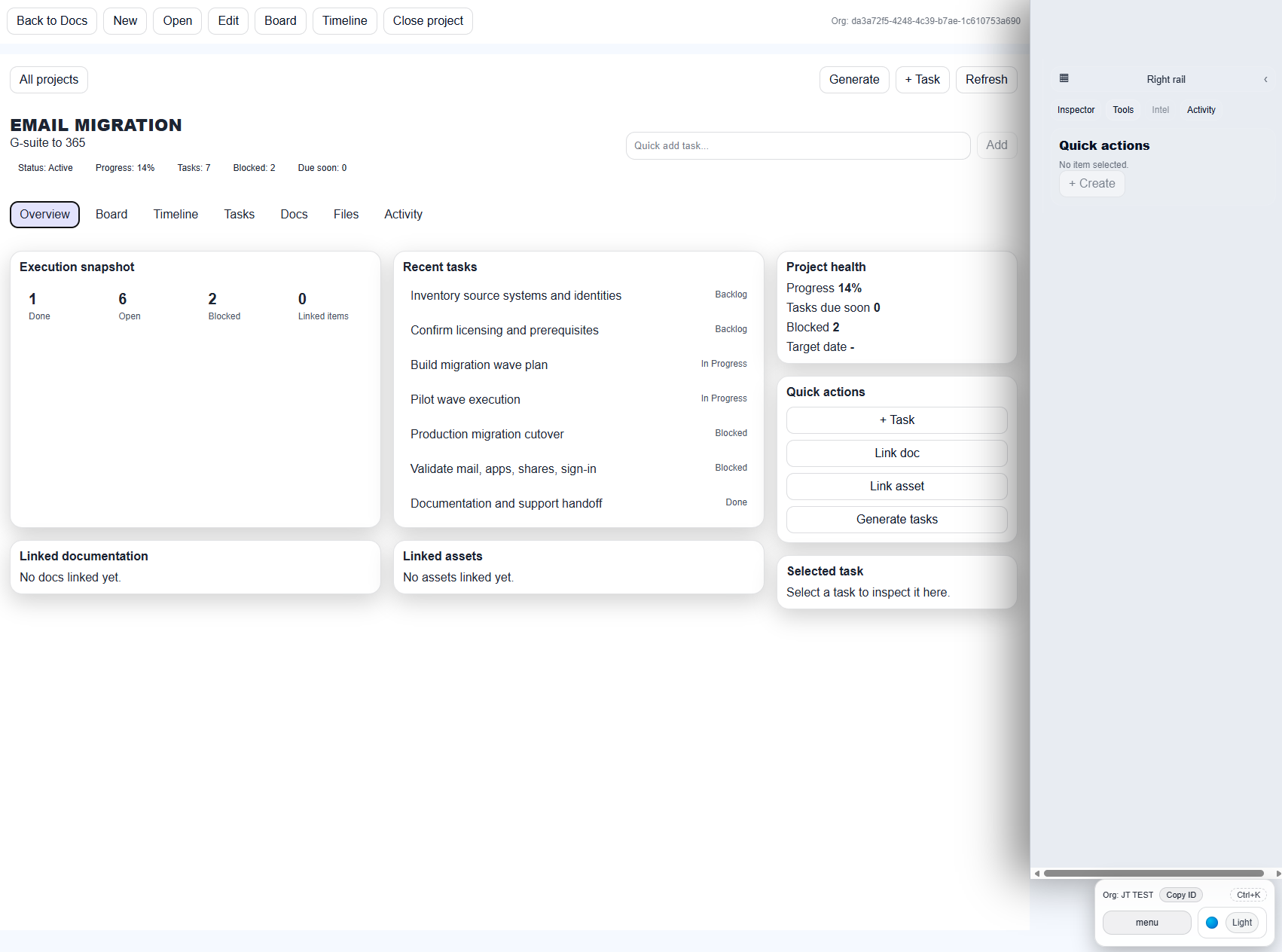
Project overview with execution snapshot and quick actions.
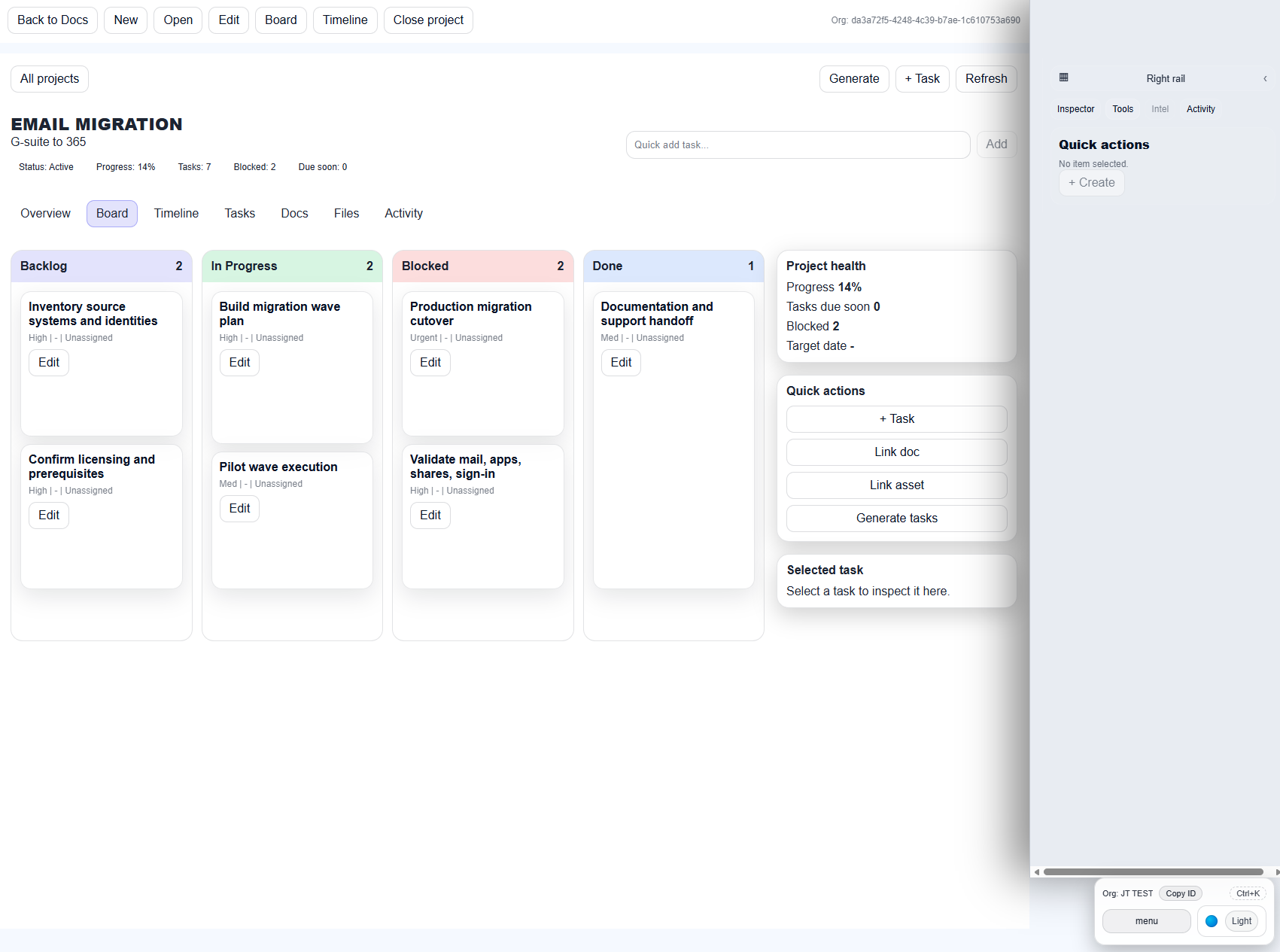
Board view for migration waves, onboarding, or infrastructure projects.
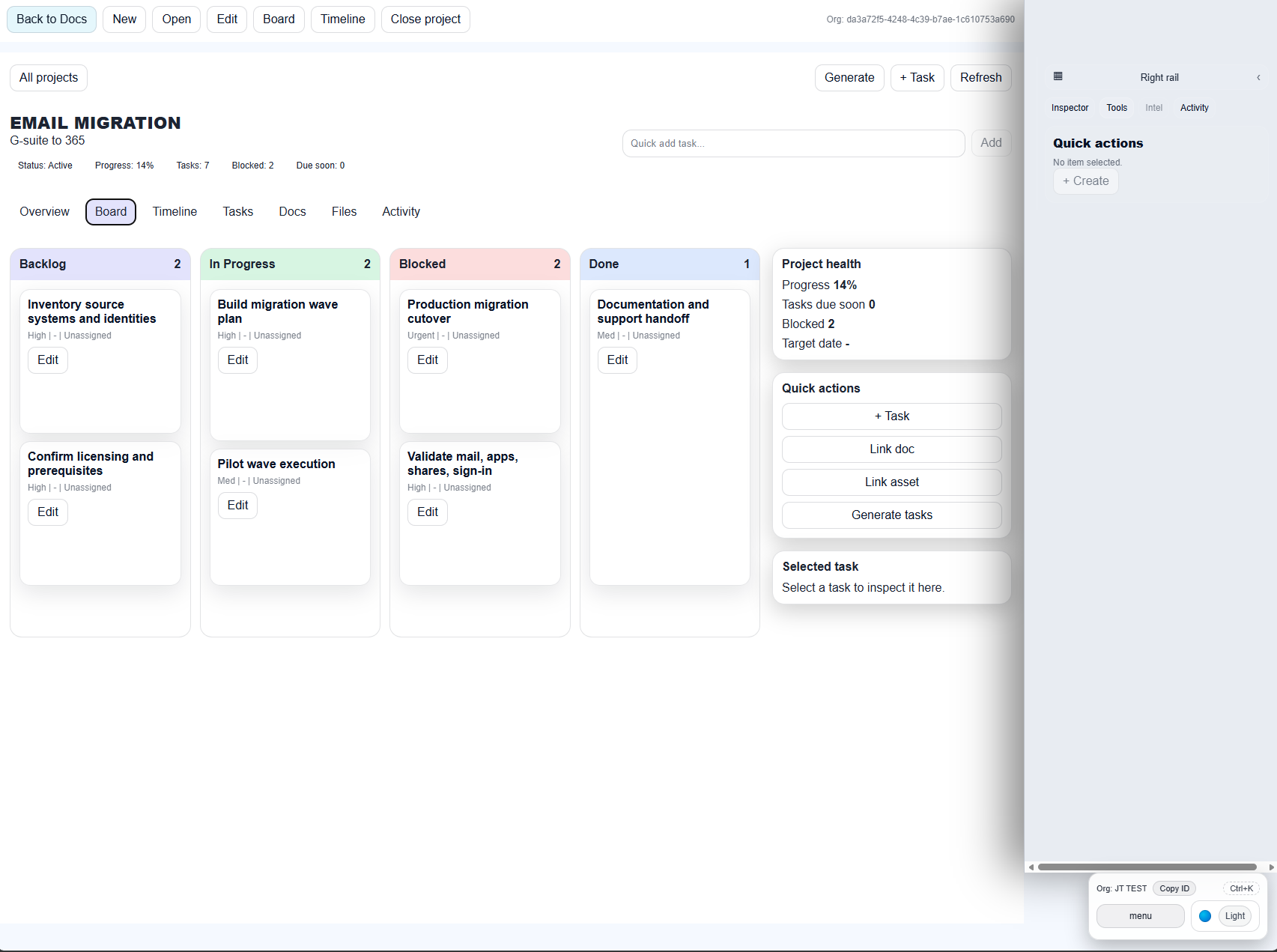
Task command center for quick review and edits.
Why teams care
Teams can manage migrations, onboarding, refreshes, and remediation work in a workspace that already knows which docs, assets, and notes matter to the job.
What gets linked
Projects can surface linked documentation, linked assets, linked files, and activity context, so the engineer is not forced to tab-hop between systems.
Client Portal status
Client View / Client Portal is in active rollout and is scheduled for release later this month. The initial production launch focuses on the internal operations workspace, documentation builder, projects, and engineering toolkits.